Talk through a concern
The assistant can ask about what you are experiencing, when it started and other relevant details.
 Open VitaLink ↗
Features
Understand and organize your health information, keep up with daily routines and choose the support that works for you. Explore the prototype below, or use Open VitaLink to sign in.
01 · Vitals & trends
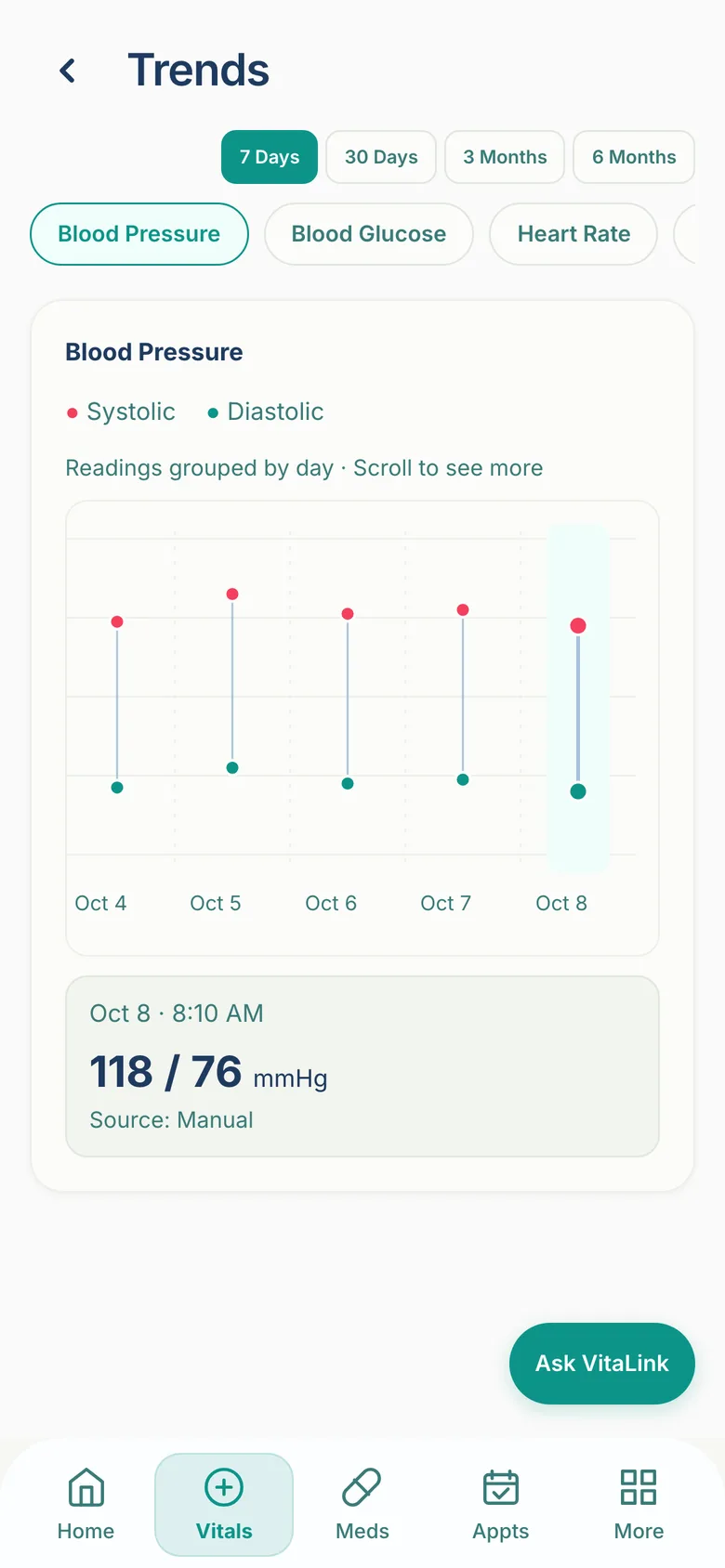
Record blood pressure, glucose, oxygen and temperature manually. Review history and trends, and prepare available reports.
For severely elevated blood pressure, the app prompts a repeat measurement. If the repeat remains severely elevated, it asks about symptoms and shows guidance to contact a healthcare professional or seek emergency help, depending on the responses.
This verified repeat-reading workflow is specific to severe blood pressure, not every high or low vital. It does not replace clinical judgment or emergency services.
Automatic connected-device uploads are planned. No compatible device models are claimed.
02 · Medications
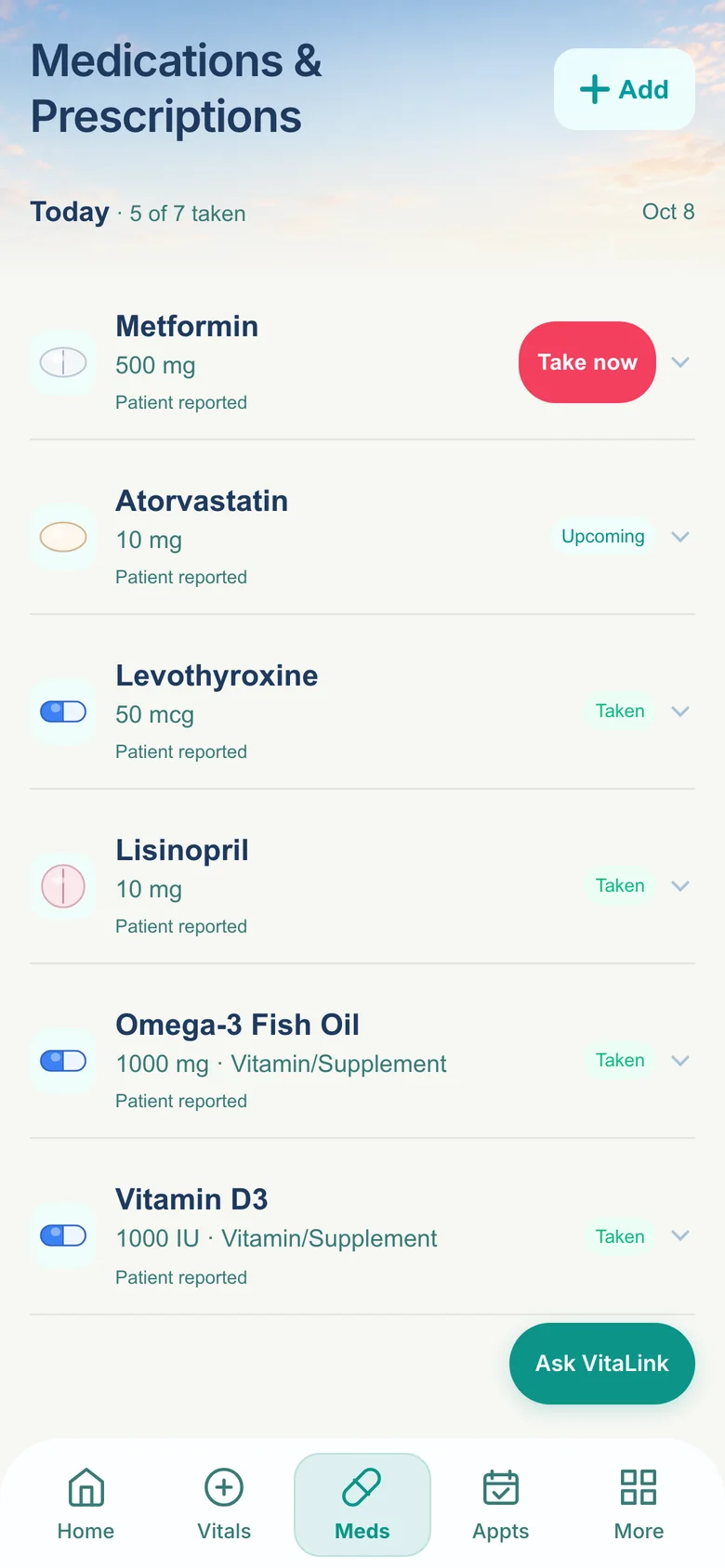
Organize medication lists and schedules, supported reminders, and taken, missed or pending dose records.
Dose activity is patient-reported. Label scanning does not choose treatment or check drug interactions.
03 · Health overview
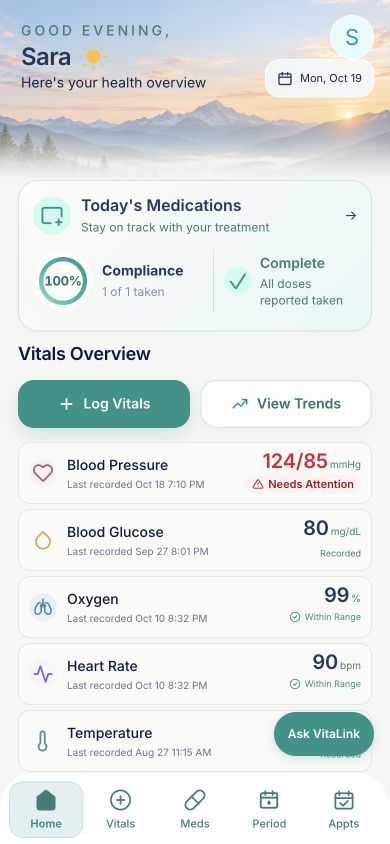
The Home screen brings medication compliance, reported dose activity and recent vital readings into view.
Medication compliance reflects reported taken and missed scheduled doses due today. Not-logged and as-needed doses are excluded. It is not a medical risk score or proof a medication was taken.
04 · Discharge instructions
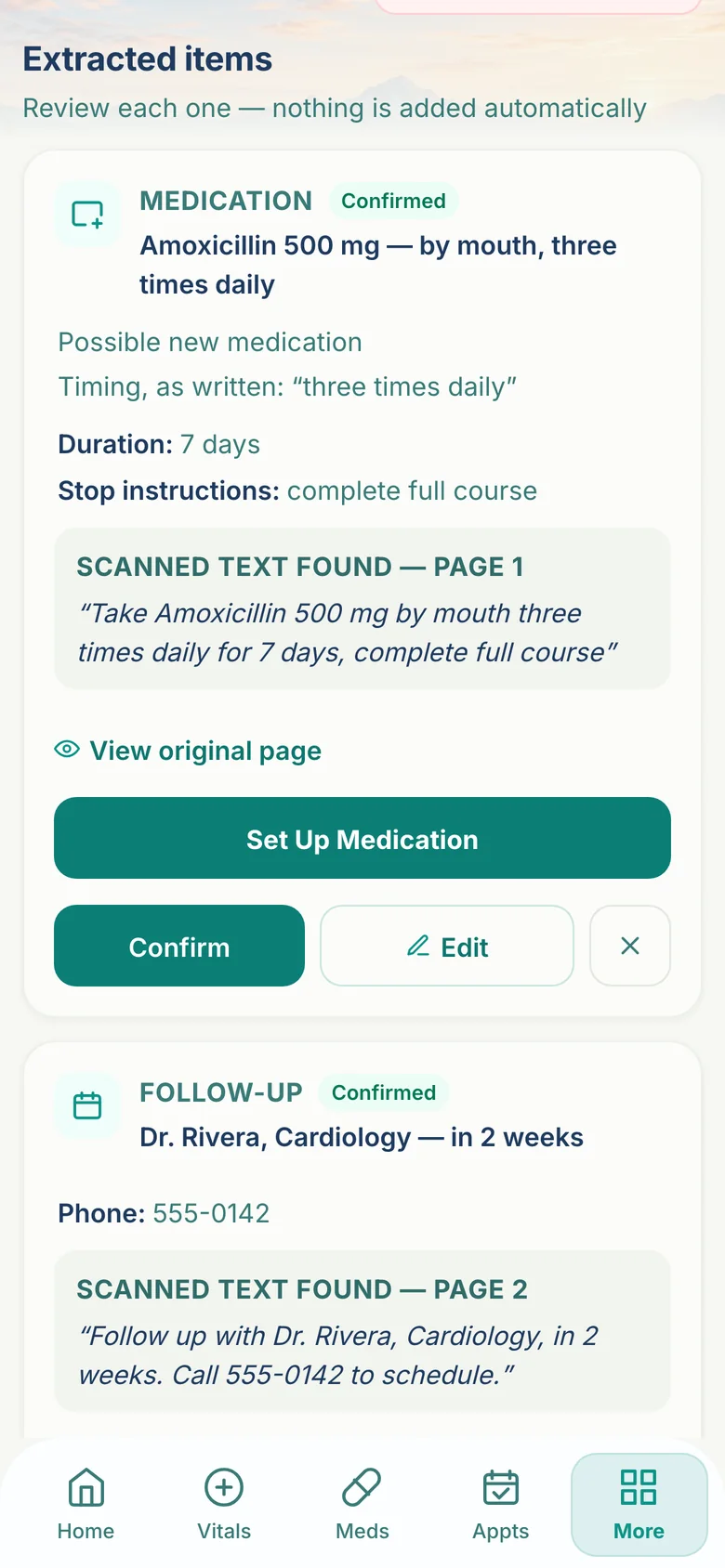
Upload discharge pages, review proposed instructions against their source, then organize eligible follow-ups, reminders and recovery tasks.
Confirm, correct or ignore each proposed item before taking action. Medication instructions may require additional setup.
05 · Appointments & records
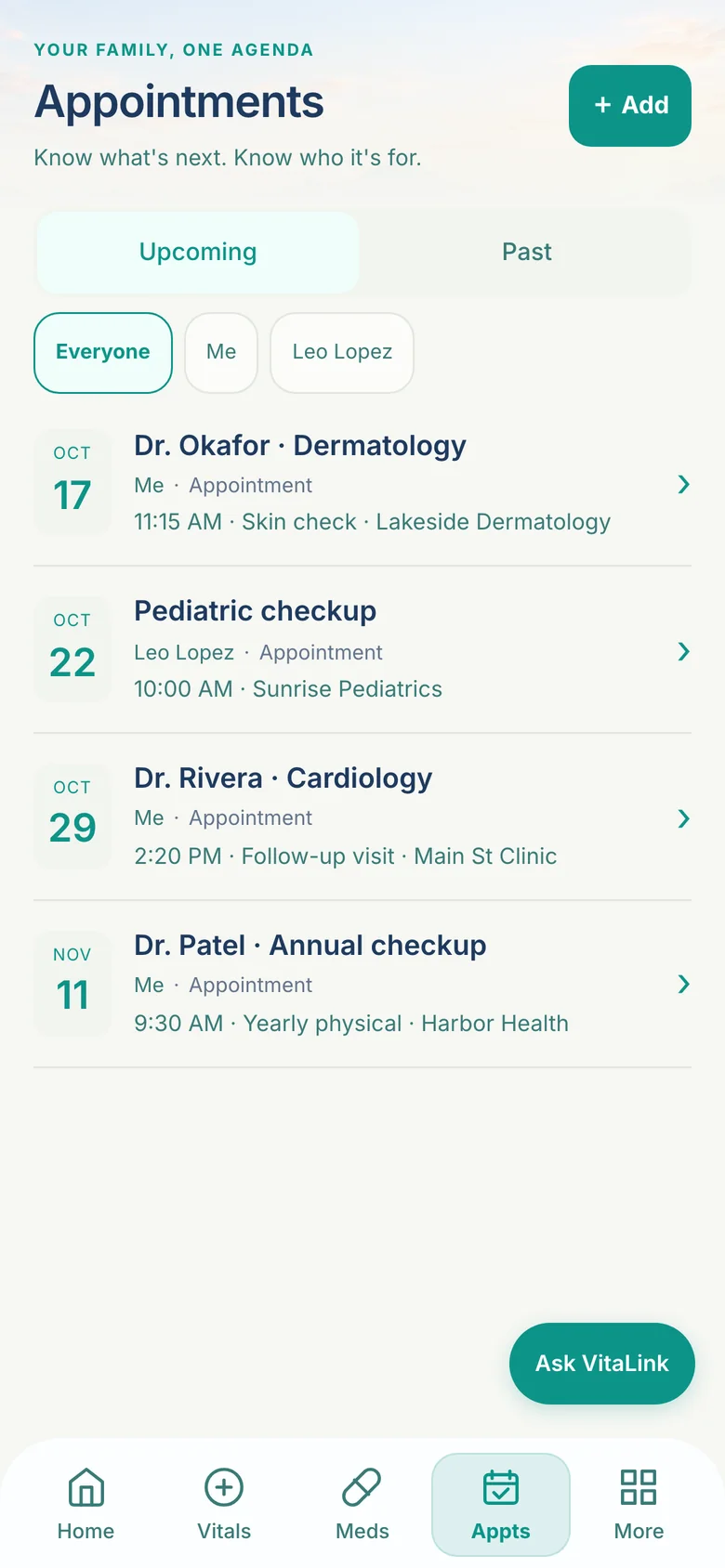
Organize visits, medical history, surgeries, allergies and uploaded documents. Download available health summaries and vital trend reports.
Records depend on what is entered or uploaded. VitaLink does not automatically retrieve a complete history from unrelated hospitals.
Your AI-powered Health Assistant
Ask VitaLink is the app’s AI-powered Health Assistant. Describe a health concern in your own words, answer follow-up questions and organize the details for a care conversation.
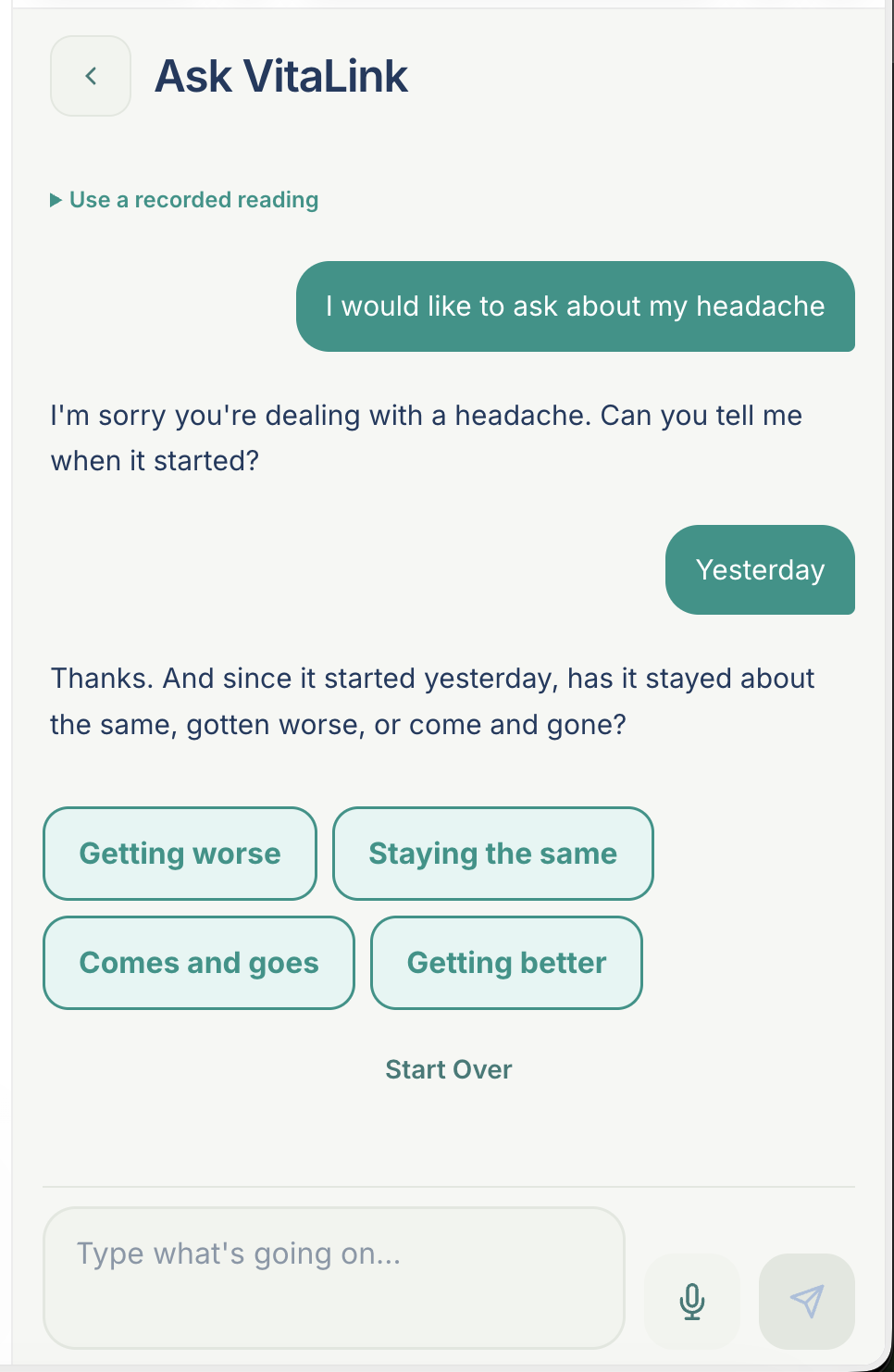
The assistant can ask about what you are experiencing, when it started and other relevant details.
When available, a structured summary helps you review your concern and a suggested next step.
You can review a proposed symptom entry before saving it through the app’s existing symptom log.
AI responses can be incomplete or incorrect. Ask VitaLink does not replace a clinician, provide a definitive diagnosis or serve as an emergency service. Availability depends on the assistant service.
Period & cycle tracking
Keep period dates, cycle history, symptoms and personal observations alongside the rest of your health information. Optional trying-to-conceive tools provide another way to organize what you track.
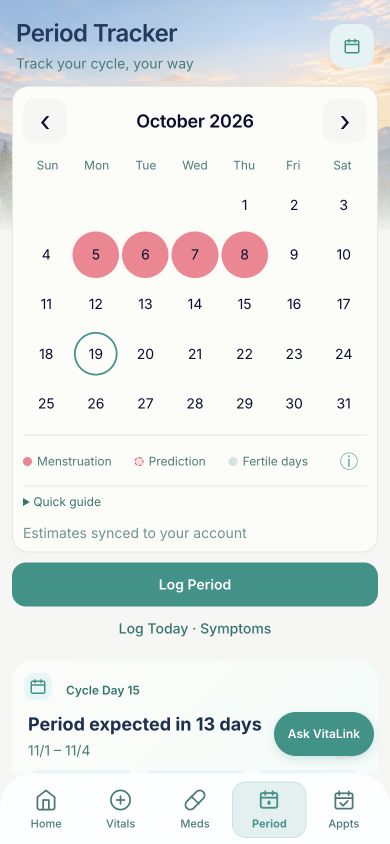
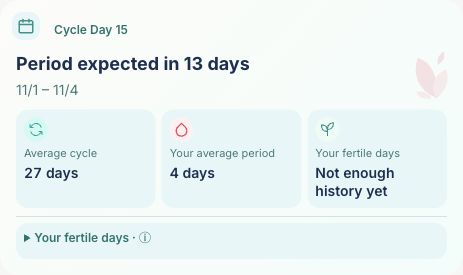
Log periods and daily observations so you can look back at changes over time.
Next-period and fertile-day estimates appear only when history and eligibility requirements are met.
Trying-to-conceive features include LH observations and basal body temperature records, based on your tracking preferences.
Estimated fertile days do not pinpoint or confirm ovulation. Estimates may be unavailable and are not medical confirmation.
Patient-authorized sharing
When you grant access, doctors can review shared vital trends and medication compliance information based on patient-reported dose activity.
See available shared readings over time, rather than a single measurement.
Review available medication details and recorded dose activity. A dose log is not proof a medication was taken.
Information is limited to the categories you authorize and the available provider features.
Planned · VitaLink-compatible devices
Our planned device experience would let a supported, connected home device send readings into VitaLink automatically, reducing the need to type each result.
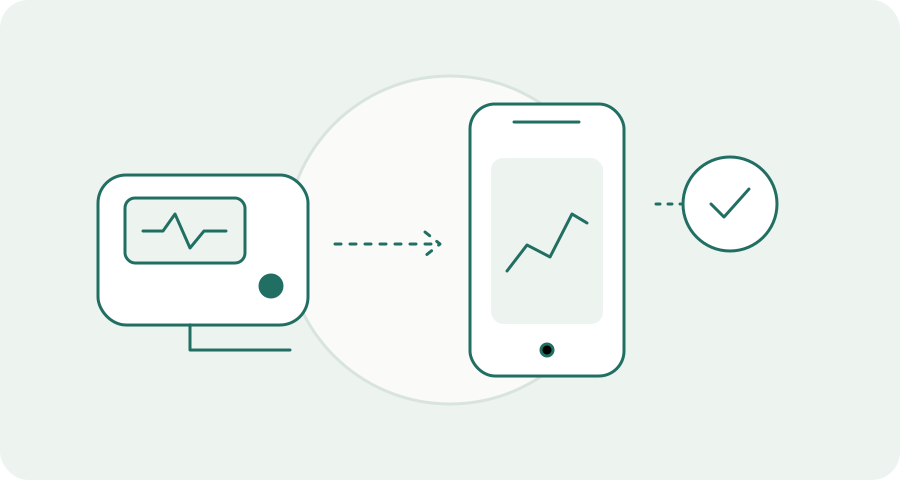
The envisioned setup would link a compatible device to the correct VitaLink profile.
Use the device to record a reading, such as blood pressure or blood glucose, where supported.
The reading would appear in your vital history and trends, available to authorized care connections within their permissions.
This is a planned workflow, not a currently available device connection. Device models, measurement types, connectivity requirements and a VitaLink-specific kit have not been confirmed. Manual entry is available now.
Caregivers & dependents
Manage separate dependent profiles and share selected available information with a trusted caregiver.
Frequently asked questions
No. Manual vital tracking is available. Automatic home-device uploads are planned.
VitaLink supports separate dependent profiles and caregiver connections. Managing a dependent requires appropriate authority; caregiver access depends on what the patient shares.
Connected caregivers and providers can view available categories that the patient has authorized. See Privacy & Security for the scope and current development status.
No live Epic integration is claimed. Potential EHR interoperability is future work, subject to technical, organizational and clinical approval.
No. It helps organize information and daily care activity. Contact your care team for medical decisions and emergency services for an emergency.
Open VitaLink uses the existing application login. For a product demonstration or pilot discussion, contact vitalinkhealthapp@gmail.com.